
Monitored Cloud Backup: Why Your Business Should Not Wait for a Crisis to Protect Its Data
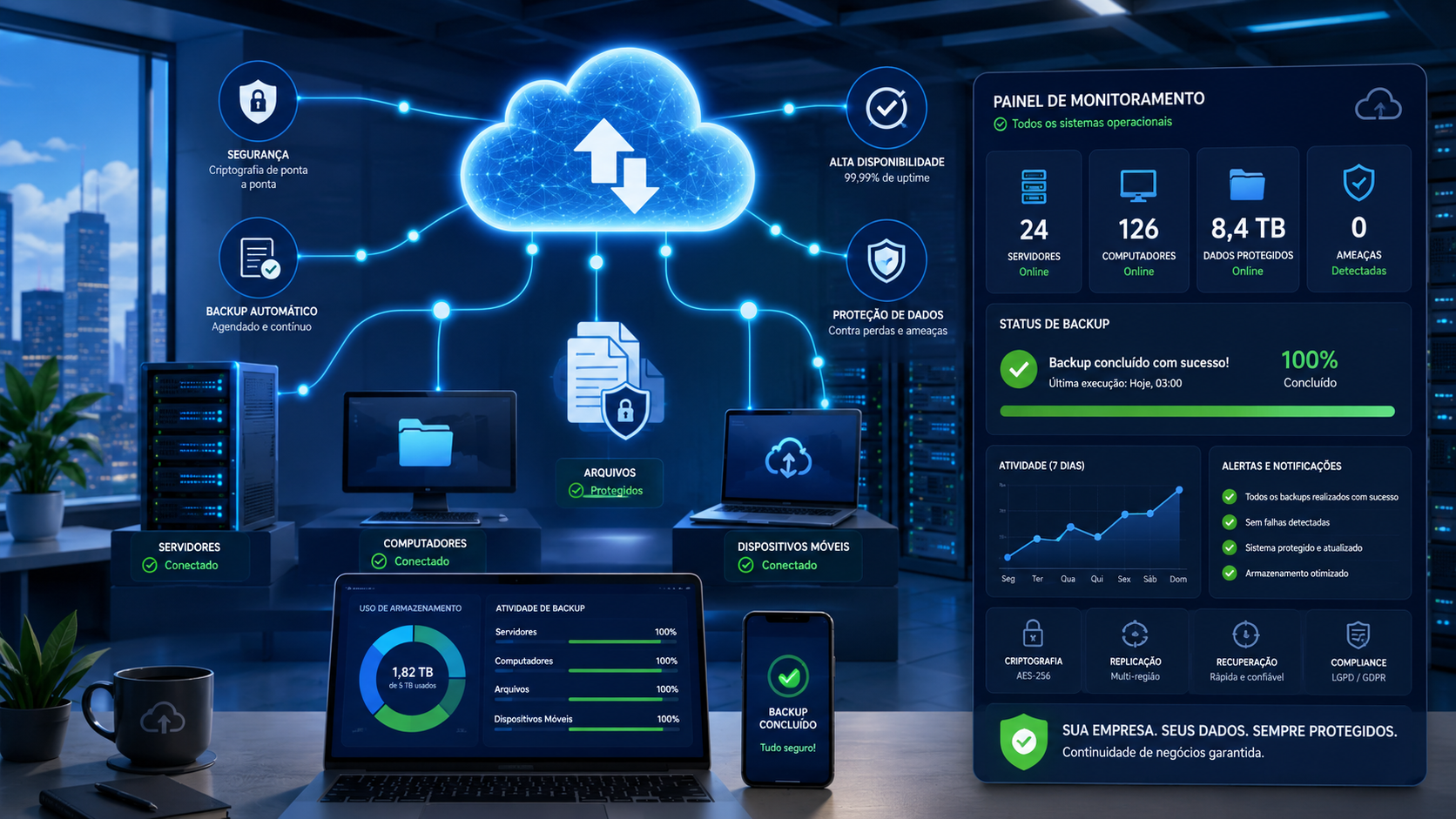
Many businesses only understand the real value of backup after something goes wrong. A server fails, an employee deletes an important folder, a laptop is stolen, a database becomes corrupted, or ransomware encrypts critical files.
At that point, the question is no longer “Do we have backup?” The real question becomes: Can we recover the right data, from the right point in time, within an acceptable timeframe?
That is why monitored cloud backup has become an essential part of business continuity. It helps companies protect critical information, reduce dependence on local infrastructure, and gain visibility into the health of their backup routines.
SafetyOnCloud helps businesses turn backup into a monitored, controlled, recovery-oriented process rather than a forgotten copy stored somewhere.
What is cloud backup?
Cloud backup is the process of copying business data to remote cloud infrastructure so it can be recovered if the original data is lost, deleted, corrupted, encrypted, or made unavailable by a failure or cyber incident.
Instead of depending only on external drives, local storage devices, or on-premises servers, the company keeps backup copies outside its physical environment. This reduces the risk of losing production data and backup copies in the same incident.
For example, if a company stores financial documents, contracts, customer files, and operational data on an internal server, a fire, theft, power event, hardware failure, or ransomware attack could affect both the live data and local backups. Cloud backup reduces that exposure by keeping protected copies in a separate environment.
However, professional cloud backup is not the same as simple online storage. A business backup strategy includes retention, encryption, scheduling, monitoring, reporting, restore testing, and a clear understanding of what must be recovered in an emergency.
Why local backup alone is not enough
Local backup can still be useful, especially for fast recovery inside the company’s environment. But when it is the only layer of protection, it creates serious business risks.
- Physical risk: fire, flooding, theft, electrical issues, or equipment damage can affect both the production system and the local backup.
- Operational risk: external drives can be forgotten, damaged, disconnected, or overwritten.
- Human risk: manual routines depend on discipline, availability, and technical knowledge.
- Ransomware risk: if local backup storage is accessible from the network, it may also be encrypted or deleted during an attack.
- Lack of visibility: many businesses only discover failed backups when they need to restore data.
Monitored cloud backup reduces these risks by adding automation, remote protection, and operational visibility. The goal is not only to have a copy, but to improve the company’s real ability to recover.
How cloud backup works in practice
A well-designed cloud backup process involves multiple stages. Each one affects recovery reliability.
1. Identifying critical data
The first step is to identify what must be protected. Not all data has the same business value. Some information can be recreated; other information can stop the operation if lost.
Common examples include:
- administrative, financial, and accounting files;
- contracts, proposals, and customer documents;
- business application databases;
- file servers;
- virtual machines;
- Microsoft 365 and Google Workspace data;
- system and application configurations;
- critical workstations;
- cloud workloads and business applications.
2. Defining the backup policy
After identifying the data, the company must define how it will be protected. The backup policy should consider frequency, retention, backup window, data volume, internet bandwidth, business criticality, and recovery requirements.
Key questions include:
- Which data requires daily backup?
- Which systems require more frequent backup?
- How long should previous versions be retained?
- What is the acceptable recovery time?
- How much data can the business afford to lose between backups?
- Who should receive alerts when backup jobs fail?
3. Automating backup routines
Once the policy is defined, backup jobs run automatically. This reduces dependence on manual processes and helps maintain consistency.
Many companies schedule backups outside business hours to reduce network impact. Incremental backup can also improve efficiency by copying only the data that changed since the previous backup point.
4. Encrypting and transferring data securely
Backup data should be protected during transfer and storage. Encryption helps reduce the risk of unauthorized exposure, while access control helps prevent misuse of administrative privileges.
Business backup should not depend on shared passwords, generic accounts, or excessive permissions. The more sensitive the data, the stronger the access governance should be.
5. Monitoring backup jobs
This is where many backup strategies fail. A job may stop working because of storage limits, connectivity problems, password changes, server downtime, software errors, authentication failures, or unexpected data growth.
Without monitoring, these failures can remain unnoticed for days, weeks, or even months. Monitored backup helps the business detect issues before they turn into recovery failures.
6. Testing restore procedures
Backup only matters if it can be restored. Periodic restore testing validates whether protected data can actually be recovered.
Restore tests help answer essential questions:
- Do files restore correctly?
- Are older versions available?
- Is the recovery time acceptable?
- Is the restored data usable?
- Does the team know what to do during an incident?
RPO and RTO: two backup concepts every business manager should know
Professional backup planning should include two important concepts: RPO and RTO.
RPO: how much data can the business afford to lose?
RPO means Recovery Point Objective. It defines how much data loss is acceptable after an incident.
If the company backs up once per day, it may lose up to 24 hours of changes. For some businesses, that may be acceptable. For others, it may create major operational and financial problems.
RTO: how long can the business remain down?
RTO means Recovery Time Objective. It defines how quickly the company needs to recover after a failure.
Some departments may tolerate a few hours of downtime. Others, such as sales, logistics, finance, healthcare, legal, or customer service operations, may suffer significant impact for every hour of unavailability.
SafetyOnCloud helps companies approach backup from this business perspective: not only copying data, but understanding operational impact and planning recovery more realistically.
Why monitored backup is better than “set it and forget it”
A common mistake is assuming that once backup software is installed, the business is protected forever. IT environments change constantly.
New files are created, applications are updated, users move folders, servers are replaced, databases grow, permissions change, and new services go into production. If the backup strategy does not follow those changes, important data may remain unprotected.
Monitored backup helps detect:
- backup jobs that did not run;
- recurring failures;
- unexpected data growth;
- jobs taking longer than expected;
- storage capacity issues;
- servers or workstations not communicating;
- retention policies that need adjustment;
- new environments not yet included in backup.
This visibility is especially valuable for businesses that do not have a dedicated internal team focused only on backup and recovery.
Cloud backup and ransomware recovery
Ransomware is one of the most disruptive threats businesses face. In a ransomware incident, files may be encrypted, systems may become unavailable, and the company may face financial, operational, legal, and reputational pressure.
Backup does not replace endpoint protection, firewall security, MFA, patch management, access control, user training, or incident response. But it is a critical recovery layer. Without reliable backup, the company has fewer options when data is affected.
A ransomware-aware backup strategy should include:
- backup copies outside the local environment;
- retention long enough to recover from a clean point;
- monitoring of failed jobs;
- strong administrative access control;
- restore testing;
- documented recovery procedures;
- clear priorities for which systems must be restored first.
The goal is not to promise absolute protection. The goal is to reduce risk, improve response capability, and increase the chance of recovery without relying on improvisation.
Which businesses need monitored cloud backup most?
In practice, every business that depends on digital data needs backup. However, some situations indicate a higher level of urgency:
- the company uses an internal file server;
- important data is stored on laptops or desktops;
- the company uses Microsoft 365 or Google Workspace without dedicated backup;
- critical financial, commercial, legal, medical, logistics, or administrative systems are in use;
- the company has already experienced file loss or server failure;
- restore tests are not performed regularly;
- backup depends on external drives or manual execution;
- no one checks backup status daily;
- the business does not know how long recovery would take;
- there are concerns related to compliance, business continuity, or audits.
If your company fits one or more of these situations, it is time to review your backup strategy before an incident forces that conversation under pressure.
How SafetyOnCloud helps
SafetyOnCloud provides monitored cloud backup for businesses that need to protect critical data with greater visibility, control, and technical support.
The service can support backup strategies for files, folders, computers, servers, applications, Microsoft 365, Google Workspace, and other workloads depending on each company’s technical environment.
Key benefits include:
- Backup monitoring: visibility into backup job status and failures.
- Incremental backup: efficient transfer of changed data.
- Encryption: protection for backup data during transfer and storage.
- Compression and deduplication: optimized storage usage.
- Retention policies: ability to keep previous versions for different recovery scenarios.
- Alerts and reporting: better visibility for managers and technical teams.
- Restore testing support: validation of real recovery capability.
- Specialized guidance: support for defining priorities, risks, and recovery strategy.
This creates a more mature approach than simply “having backup.” The company gains a monitored, adjustable, recovery-oriented process aligned with business continuity.
The cost of not having reliable backup
Many managers evaluate backup only by its monthly cost. That is an incomplete analysis. The better question is: how much would a data loss incident cost the business?
Data loss can cause:
- hours or days of downtime;
- delayed customer service;
- lost orders, contracts, or documents;
- administrative rework;
- direct financial losses;
- legal or regulatory exposure;
- reputation damage;
- pressure on the IT team;
- emergency decisions made without planning.
When an incident happens, there is usually no time to design a strategy calmly. That is why mature businesses treat backup as operational insurance: it must be ready before the crisis.
Conclusion: backup is a business decision, not only an IT task
Monitored cloud backup is not just a technical tool. It is a risk management decision. It protects continuity, reduces uncertainty, and helps the business respond to failures, deletion, ransomware, corruption, and infrastructure loss.
If your company still depends on local backup, external drives, manual routines, or jobs that no one monitors, now is the right time to review your strategy.
SafetyOnCloud can help your business understand the current scenario, identify risks, and structure a monitored cloud backup strategy aligned with your needs.
Do not wait to discover that backup failed on the day your business needs it most.
Contact SafetyOnCloud and request an assessment of your backup and recovery strategy.